
Introduction to Dashlytics
Jira tracks everything your team works on — but answering questions like "how long does it take us to deliver?", "which teams are taking on the most work?", or "did we complete what we committed to this sprint?" requires more than Jira's built-in views can provide.
Dashlytics is a Jira Cloud app that lets you build statistical reports directly from your Jira data. You choose a set of work items using JQL, define how you want to slice and analyse them using dimensions and Metrics, and get a report — as a table or a chart — that answers the questions your team actually cares about. Reports can be saved and embedded into Jira dashboards, making your most important metrics visible to the whole team without needing to rebuild them each time.
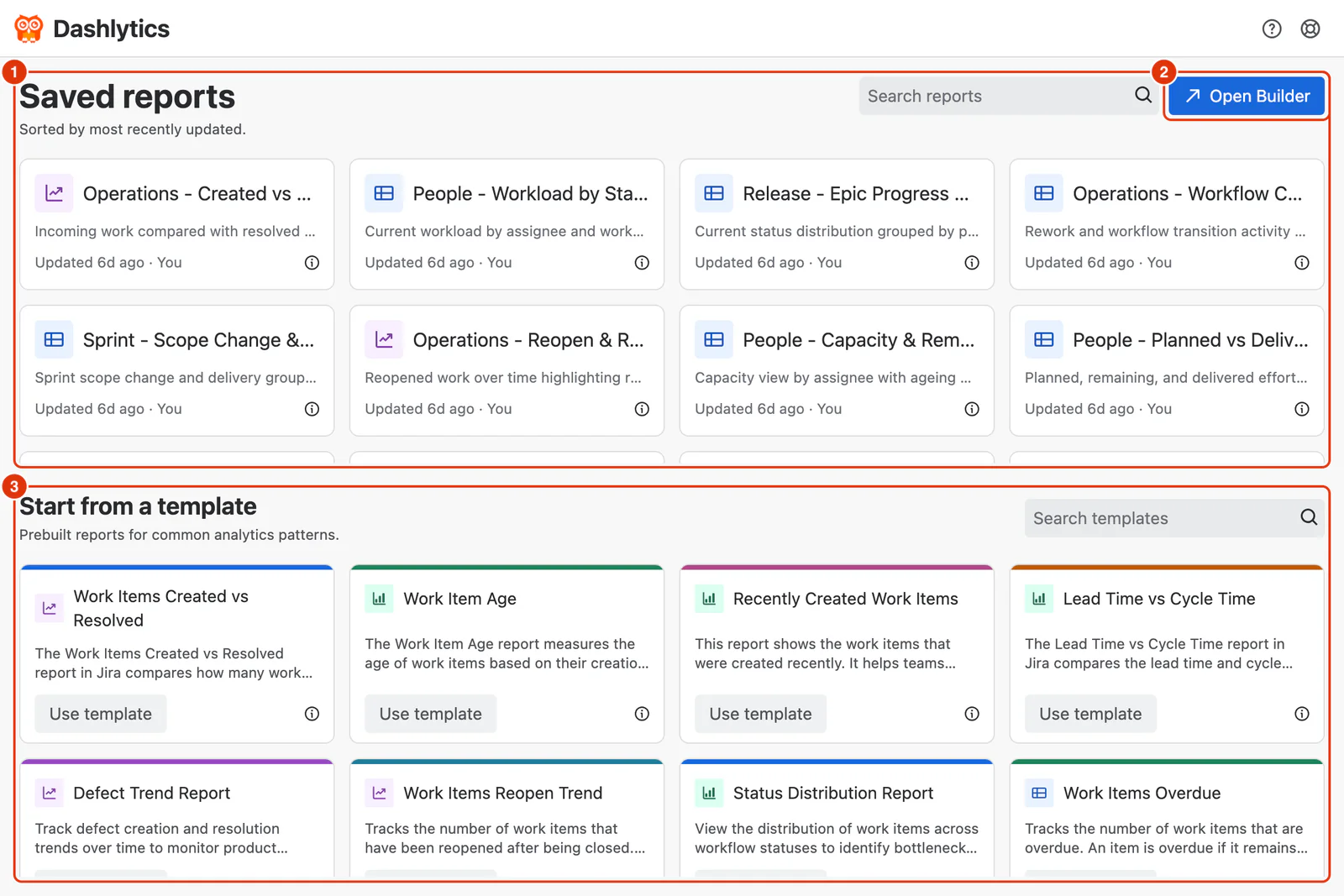
Everything starts from the Dashlytics Home screen. It lists your Saved reports (1), most recently updated first. Click Open Builder (2) to open the Report Builder — it picks up where you left off, or starts a blank report if there is no previous session. To start from a prebuilt report instead, choose one under Start from a template (3), or click a saved report to open it.
Who is Dashlytics for?
Dashlytics is built for teams that want to go beyond Jira's default reporting. The documentation is written for:
- Project Managers and Team Leads — who need visibility into delivery pace, workload, and sprint performance across one or more teams
- Business Analysts — who want to build precise, repeatable reports using dimensions, Metrics, and filters tailored to their team's workflow
- Jira Administrators — who configure the app, manage work calendars, and define lifecycle mappings that make time-based and state-based Metrics accurate
- Executives and Stakeholders — who view dashboards for high-level delivery insights without building reports themselves
- Developers and Team Members — who want to understand how their work is measured and track sprint progress at a glance