
Work Items Resolved
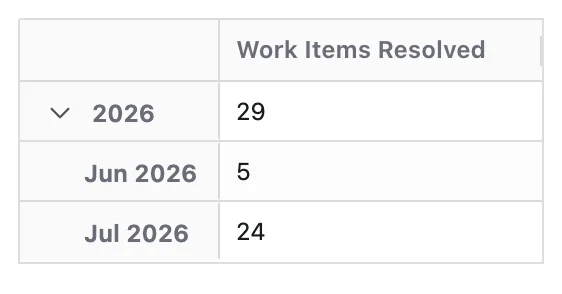
Work Items Resolved measures the number of work items that are marked as resolved.
It represents the volume of work items leaving the system as resolved, using the work item's Resolution Date as the reference point.
This Metric focuses only on counting resolved work items. It does not consider:
- Effort or story points
- Workflow duration or time to complete
- Completion quality or acceptance criteria
- How complex or large the work item was
What Question Does Work Items Resolved Answer?
Work Items Resolved is designed to answer:
- How many work items were resolved?
- When were those work items resolved?
By tracking this Metric over time, teams can see how delivery output is changing and whether resolution patterns are stable, improving, or slowing down.
How Work Items Are Counted
- Each work item is counted once, using its Resolution Date.
- Only work items that currently have a Resolution set in Jira are included.
- When the Time dimension is applied, work items are grouped into time periods based on their Resolution Date.
This means:
- A work item appears in the time period that matches its Resolution Date, not its Created Date.
- Later changes that do not affect resolution (e.g. comments, field edits) do not change when it is counted.
- If a work item is reopened after being resolved, it is removed from the resolved set until it is resolved again.
- When it is resolved again, it is counted based on the new Resolution Date.
Configuration
Work Items Resolved does not require any date field configuration.
- The Metric uses Jira's standard Resolution Date, which is set when the Resolution field is populated.
For accurate results, make sure your workflows:
- Set the Resolution field when moving work items to a "done" / resolved status.
- Clear the Resolution field when reopening work items (if they move back to an in-progress/open state).
Its configuration panel offers no options of its own — only a Metric Name and a Description, as described in Metric Configuration.
What You Can Analyse with Work Items Resolved
Work Items Resolved is commonly used to analyse:
Delivery Throughput
Understand how much work your teams are completing over time:
- Volume of resolved work items per day, week, month, or sprint
- Trends in completion output, showing whether teams are resolving more or fewer work items over time
- Variations in throughput around key events (e.g. releases, holidays, team changes)
Delivery Distribution
See where and what type of work is being completed:
- Which spaces, products, or teams resolve the most work items
- Breakdown of resolved work by:
- Work type (e.g. bug, story, task)
- Priority (e.g. blocker, high, medium)
- Component, service, or area
Delivery Capacity Signals
Use Work Items Resolved as an indicator of delivery capacity and flow:
- Whether resolution output is increasing or decreasing over time
- How resolved volume compares to incoming demand when analysed alongside Work Items Created
- Periods where resolution consistently lags behind creation, indicating potential backlog growth and pressure on teams