
Templates
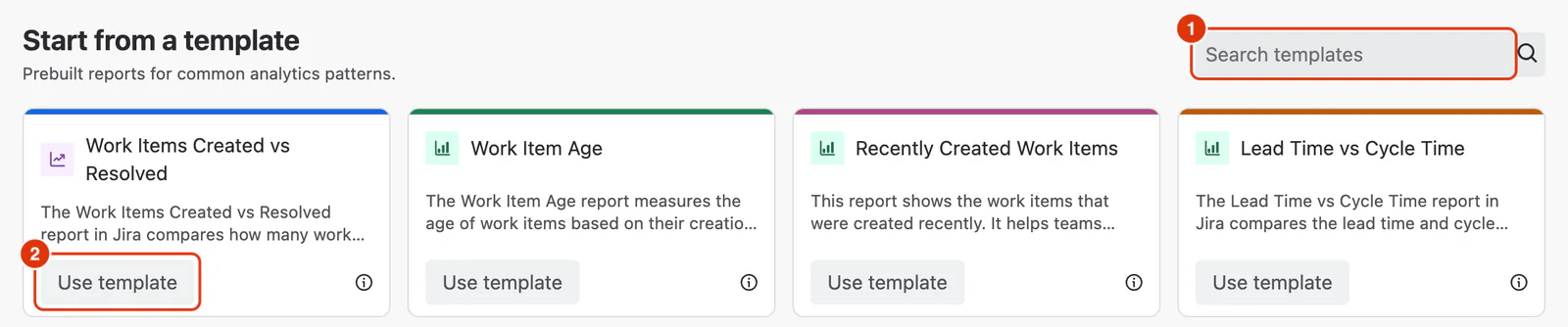
Dashlytics includes a library of pre-built templates for the most common reporting needs. Each template comes with a pre-configured set of dimensions and Metrics. Templates can be used as-is or customised and saved as your own report.
For instructions on how to use a template, see Using Templates in the Feature Guides section.
Jira Essentials
Templates that match Jira's built-in reports. If you have used Jira's native reporting, these will be familiar starting points.
Work Items Created vs Resolved
Tracks the inflow and outflow of work over time. Useful for understanding whether your team is resolving work faster than it is being created, and for spotting periods where backlog is growing.
Recently Created Work Items
Shows work items created in the last 90 days, broken down by time period, spaces, and work type. Useful for staying on top of new incoming work and ensuring that recently created work items are picked up and addressed in a timely manner. Particularly helpful for teams who want to spot spikes in new work or track whether certain work types are being raised more frequently.
Defect Trend Report
Shows defects created and resolved over time, grouped by the selected time period. Helps teams monitor product quality by comparing defect inflow with resolution rates, making it easy to identify emerging quality issues or growing backlogs. Particularly useful for assessing the effectiveness of defect resolution efforts and tracking quality trends across releases.
Work Items Reopen Trend Report
Shows work items reopened over time, broken down by the selected time period. Helps teams monitor rework trends, identify potential quality or verification issues, and understand how often completed work requires additional attention. Particularly useful for improving delivery quality and reducing repeated effort.
Status Distribution Report
Shows the distribution of work items across workflow statuses for the selected spaces. Useful for understanding where work is concentrated, identifying bottlenecks, and monitoring work in progress throughout the delivery process. Particularly helpful for assessing workflow health and ensuring work continues to move efficiently toward completion.
Work Items Overdue Report
Shows overdue work items over time, broken down by workflow status. Useful for identifying delayed work or due date compliance, and understanding where overdue items are accumulating in the workflow. Particularly helpful for prioritizing follow-up actions, reducing delivery delays, and ensuring work is completed on time.
Sprint Report
Committed, completed, added, and removed work items per sprint. Useful for reviewing sprint execution and understanding how scope changed during the sprint.
Sprint Story Points Report
Tracks the full story point lifecycle across closed sprints — how many points were committed at sprint start, how many were completed, how many were added after the sprint began, and how many were removed before it ended. Useful for evaluating sprint performance in terms of effort and identifying patterns in scope change over time. Pairs well with Sprint Report, which covers the same breakdown but in work item counts rather than story points.
Story Points Commitment Completion Report
Shows sprint story points committed at the start of each sprint, story points added during the sprint, and the corresponding completed work. Useful for evaluating sprint predictability, understanding the impact of scope changes, and comparing planned versus delivered work. Particularly helpful for improving sprint planning, managing scope creep, and increasing delivery reliability.
Flow & Quality
Templates focused on delivery speed, bottlenecks, and flow health.
Work Item Age
Measures the average age of work items based on their creation date, broken down by spaces and priority. Helps teams identify aging work items, monitor progress, and prioritise tasks that have been open for a long time. Useful for backlog hygiene reviews and spotting where older, unresolved work items are accumulating across different priority levels.
Lead Time vs Cycle Time
Compares lead time and cycle time side by side, broken down by spaces. Lead time covers the full journey from when a work item is created to when it is completed; cycle time covers only the active period from when work starts to completion. Seeing both together makes it easy to understand how much of the total delivery time is spent waiting versus actively being worked on, and where the biggest efficiency gains are possible. Useful for teams who want to assess overall flow health and spot whether delays are happening before work is picked up or during execution.
Time in Status
Tracks the amount of time work items spend in each workflow status. Helps teams identify bottlenecks, monitor workflow efficiency, and make informed decisions to optimise their processes. Useful for understanding where work is getting stuck and which statuses are contributing most to overall delivery time.
Note: Template configurations are fixed and cannot be edited. Use Save as after loading a template to create your own customised version.