
Status Transitions
Status Transitions measures how often work items move from one workflow status to another during a selected time period: the total number of transitions, or the average, median or 95th percentile per work item.
Each transition is treated as a discrete event and is counted at the moment it occurs.
This Metric focuses on movement and change in the workflow, not time spent, effort logged, or delivery outcomes.
What Question Does Status Transitions Answer?
Status Transitions is designed to answer:
How often does work move between workflow stages?
How Status Transitions Is Calculated
Status Transitions is an event-based Metric. For each work item, each workflow status change generates a transition event. A transition is counted if its timestamp falls within the selected time period. Each transition is counted independently, even if the same work item transitions multiple times. Transitions are evaluated purely based on workflow status changes, not lifecycle states.
The transitions are counted for each work item, and the Aggregation option combines those counts into the value shown. By default this is the average number of transitions per work item; Sum shows the total number of transitions.
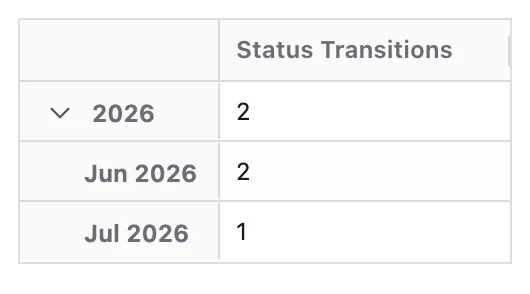
When a Time dimension is applied, each transition event is assigned to a single time period based on when it occurs. Multiple transitions from the same work item can be counted across different time periods. Time represents when movement occurs, not how long work spends in a state.
Configuration
Status Transitions adds these options to the Metric Name and Description every Metric has:
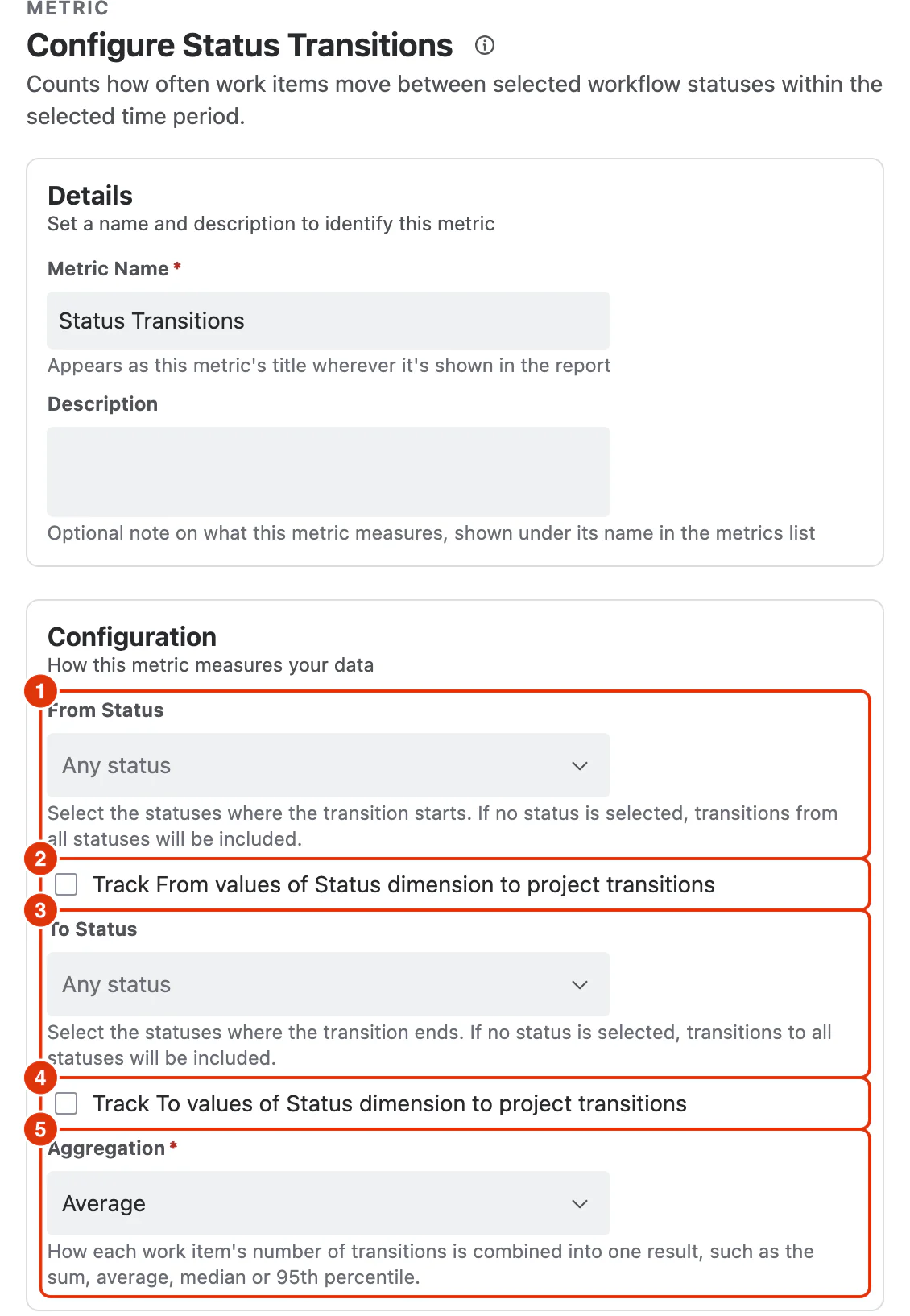
From Status (1)
The statuses a counted transition starts from. Leaving it empty includes transitions from any status.
Track From values of Status dimension to project transitions (2)
Makes the report's Status dimension track the status each transition started from. Every value of that dimension, whether it is in Filters, Rows or Columns, receives the transitions that left that status.
To Status (3)
The statuses a counted transition ends at. Leaving it empty includes transitions to any status.
Track To values of Status dimension to project transitions (4)
Makes the report's Status dimension track the status each transition ended at. Every value of that dimension, whether it is in Filters, Rows or Columns, receives the transitions that arrived at that status.
The two options cannot be selected together: selecting one disables the other. With neither selected, the Status dimension shows each work item's current status.
Aggregation (5)
How each work item's number of matching transitions is combined into one result:
- Sum: the total number of transitions
- Average (default): the average number of transitions per work item
- Median
- Percentile (P95)
Average, Median and Percentile (P95) only include work items with at least one matching transition in the period. A work item that never made the transition is left out rather than counted as 0.
Note: If a status is deleted, any transition that involves that status — as either the From or the To status — is not counted.
What You Can Analyse with Status Transitions
Status Transitions is commonly used to analyse:
Workflow Activity
- How frequently work moves through the workflow
- Overall workflow activity during a period
Forward vs Backward Flow
- How often work progresses versus moves backward
- Identification of rework or churn
Handoffs and Complexity
- Excessive transitions indicating too many handoffs
- Workflow steps that introduce friction
Stability and Clarity
- Statuses where work repeatedly enters and exits
- Signals of unclear ownership or exit criteria
Process Improvement
- Impact of workflow or policy changes on movement patterns
- Identification of steps to simplify or streamline the workflow