
Work Items Closed
Work Items Closed measures the number of work items that reach the Closed lifecycle state.
It represents the formal closure of work in the system, based on lifecycle closure.
Only work items that reach the Closed lifecycle state are included in this Metric.
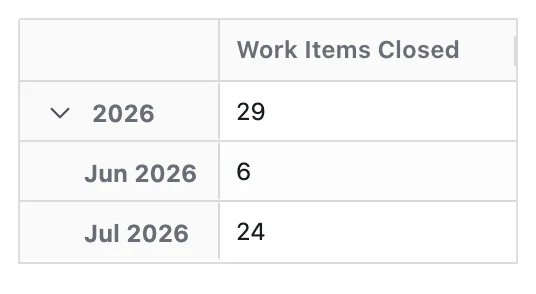
What Question Does Work Items Closed Answer?
Work Items Closed is designed to answer:
- How many work items were formally closed?
- When were those work items closed?
By tracking this Metric over time, teams can understand how consistently work is being formally closed after completion.
How Work Items Are Counted
A work item is counted when it transitions into a status mapped to the Closed lifecycle state.
- Only work items that reach the Closed lifecycle state participate in this Metric
- Each work item is counted once
When a Time dimension is applied, work items are grouped into time periods based on the latest time they entered the Closed lifecycle state.
This means:
- A work item appears in the time period that matches its latest closure date
- If a work item moves out of Closed and later re-enters it, the most recent closure event is used
Configuration
Work Items Closed has no options of its own. Like every Metric it can be given a Metric Name and a Description — see Metric Configuration.
- The Metric uses lifecycle mapping of statuses to the Closed lifecycle state
For accurate results, ensure that your workflows:
- Map all final "closed / done / archived" statuses to the Closed lifecycle state
- Use consistent transitions when work is formally closed
What You Can Analyse with Work Items Closed
Work Items Closed is commonly used to analyse:
Closure Volume
Understand how much work is being formally closed over time:
- Number of work items closed per day, week, month, or sprint
- Trends in closure activity — whether closure is increasing, stable, or declining
- Periods of unusually high or low closure activity
Process Completeness
Identify whether work is consistently reaching a formal end state:
- Whether completed or resolved work items are consistently progressing to Closed
- Gaps between completion and formal closure — work that finishes but is never formally closed
- Spaces or teams where the close step is frequently skipped
Closure Distribution
See where and what type of work is being closed:
- Spaces, products, or teams closing the most work
- Breakdown of closed work items by work type, priority, component, or area
- Differences in closure patterns across teams or product areas
Stability and Quality Signals
Use closure trends to assess delivery quality and process reliability:
- Analyse closure trends alongside Work Items Reopened to detect instability
- Identify whether work remains closed or frequently returns to active states
- Spaces or work types with high reopen rates after closure