
Cycle Time
Cycle Time measures the total amount of time a work item spends in Active workflow states.
It represents how long work flows through the active part of the process, including execution, waiting, blocking, handoffs, and rework while the work item remains active.
This Metric focuses on flow duration, not effort, output volume, or delivery dates.
What Question Does Cycle Time Answer?
Cycle Time is designed to answer:
How long does work typically take once it becomes active?
How Cycle Time Is Calculated
Cycle Time is calculated once per work item. Only work items currently in statuses mapped to the Completed or Closed lifecycle states are included. Time is accumulated across all periods when the work item is in statuses mapped to the Active lifecycle state. If a work item enters and exits Active multiple times, all Active time is included.
If a work item is reopened, it is excluded until it reaches a Completed or Closed lifecycle state again.
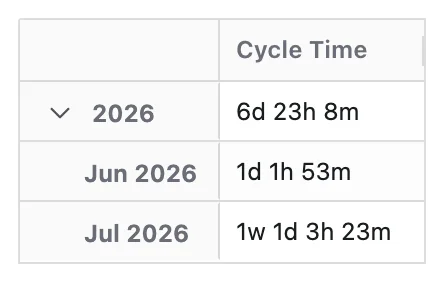
When a Time dimension is applied, work items are grouped based on their completion time and the full Cycle Time value is attributed to that single time period. Time represents when work is delivered, not when time was spent during execution.
Configuration
Cycle Time adds these options to the Metric Name and Description every Metric has:
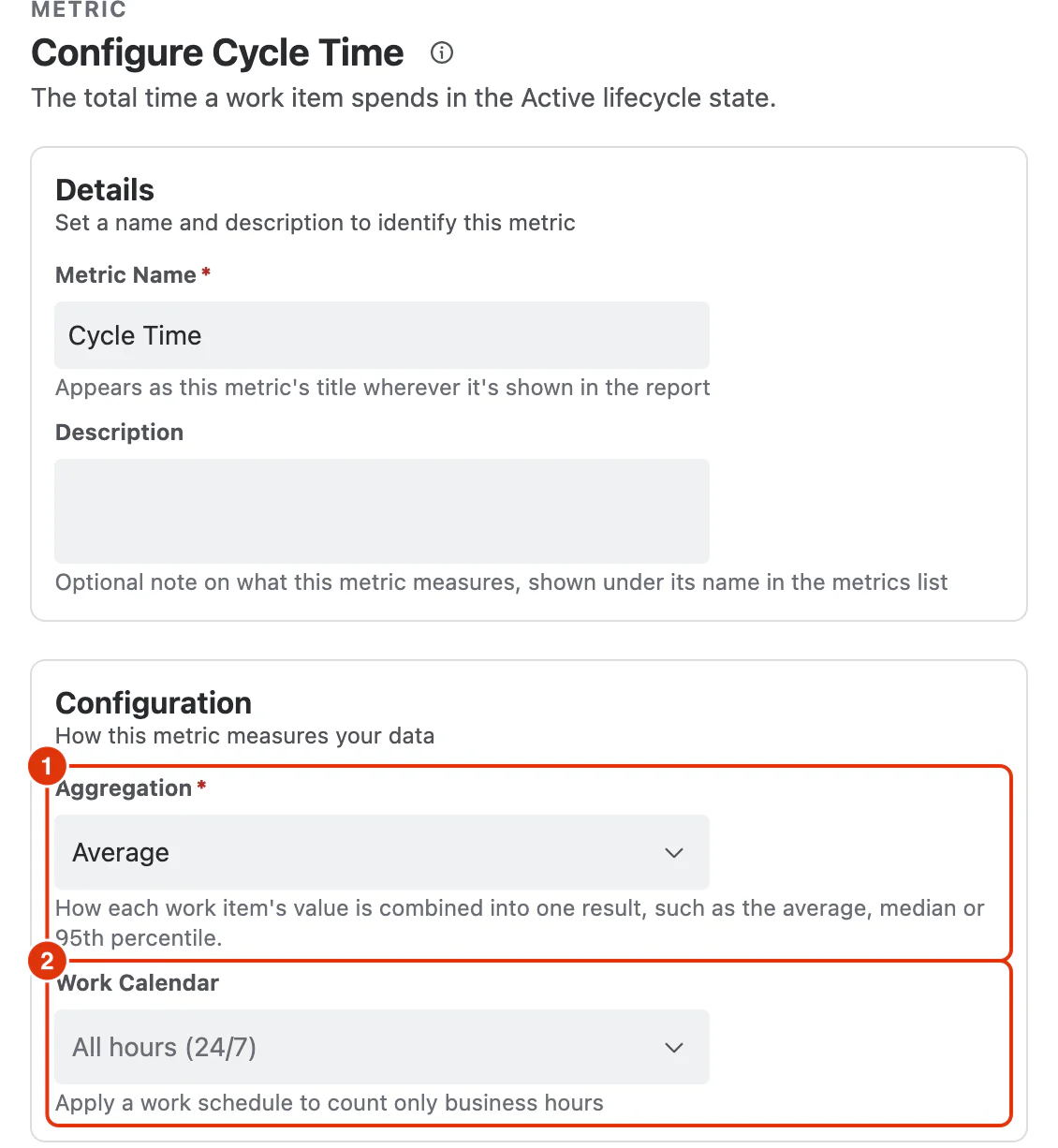
Aggregation (1)
How each work item's value is combined into one result:
- Average (default)
- Median
- Percentile (P95)
Work Calendar (2)
Optional. Applies a work schedule so only business hours are counted. Calendars are defined under Work Calendars; leaving it as All hours (24/7) counts elapsed time.
What You Can Analyse with Cycle Time
Cycle Time is commonly used to analyse:
Delivery Speed
- How long work takes once it becomes active
- Differences in flow duration across teams, work item types, or priorities
Flow Efficiency
- Variability in active workflow duration
- Median and percentile Cycle Time trends
Process Health
- Long-running work items indicating bottlenecks or dependencies
- Impact of interruptions and rework on delivery flow