
Story Points Total
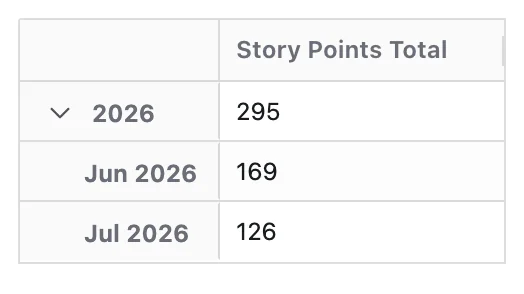
Story Points Total measures the total number of story points associated with the work items in your report.
It represents the overall estimated size of work based on the Story Points field, regardless of whether the work is completed or still in progress.
This Metric focuses on total estimated effort, not delivery, progress, or flow.
What Question Does Story Points Total Answer?
Story Points Total is designed to answer:
How many story points are represented by the work items in the report?
How Story Points Are Counted
Story Points Total is calculated across all work items included in the dataset. For each work item, the value of the Story Points field is used. Work items without a Story Points value are excluded. Story points are summed across all included work items, and each work item contributes its Story Points value once.
When a Time dimension is applied, work items are grouped based on the selected Time Grouping Field (e.g. Created Date, Resolved Date) and story points are counted in the time period corresponding to that field. Time represents when work items are grouped, not when effort was spent.
Configuration
Story Points Total adds these options to the Metric Name and Description every Metric has:
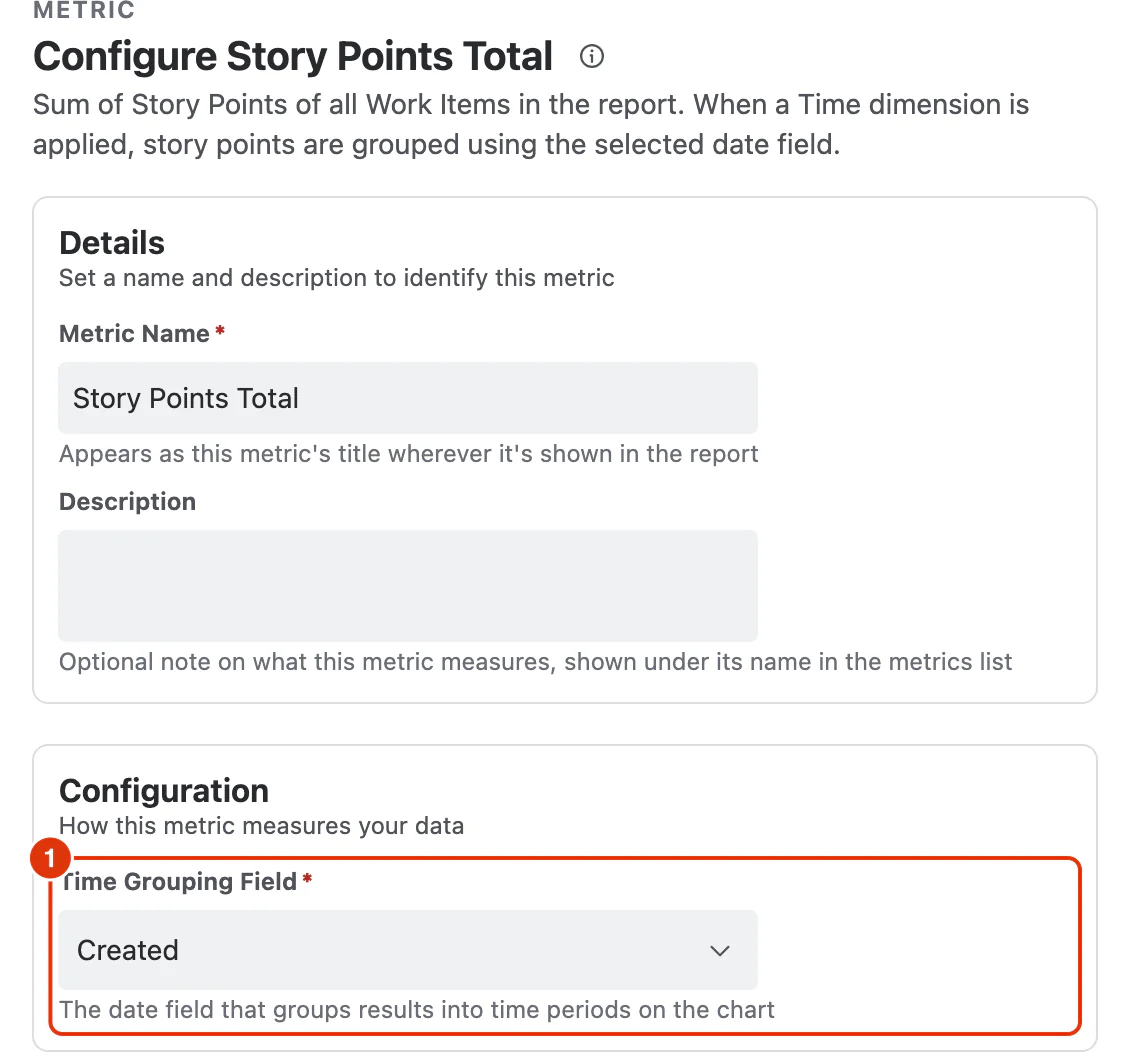
Time Grouping Field (1)
The date field that groups results into time periods when the report has a Time dimension.
What You Can Analyse with Story Points Total
Story Points Total is commonly used to analyse:
Overall Scope Size
- Total planned effort across a project, team, or component
- Scope of a release, epic, or sprint backlog
Scope Growth
- Changes in total estimated effort over time
- Impact of added or removed work items on scope
Planning Baselines
- Input for capacity planning and sprint sizing
- Comparison against team velocity or delivery benchmarks