
Time in Status with Assignee
Time in Status with Assignee measures the total amount of time work items spend in specific workflow statuses while assigned to specific users.
It combines workflow state and ownership to show where time is spent across both dimensions.
This Metric focuses purely on duration, helping teams analyse delays, handoffs, and responsibility distribution within workflow stages. It does not measure productivity, efficiency, or individual performance.

What Question Does Time in Status with Assignee Answer?
Time in Status with Assignee is designed to answer:
How much time do work items spend in specific statuses while assigned to specific users?
How Time in Status with Assignee Is Calculated
Time in Status with Assignee measures time spent, attributed jointly to status and ownership. For each work item, time is accumulated while the work item is in a selected status and assigned to a user. If either the status or assignee changes, a new time segment begins. All time segments matching the selected status–assignee combinations are included.
When a Time dimension is applied, time is distributed across time periods based on when it occurs. If a time interval spans multiple time periods, its duration is split across those periods. A single work item can contribute time to multiple time periods and multiple status–assignee combinations. Time represents where time was spent and with whom, not when work started or finished.
Configuration
Time in Status with Assignee adds these options to the Metric Name and Description every Metric has:
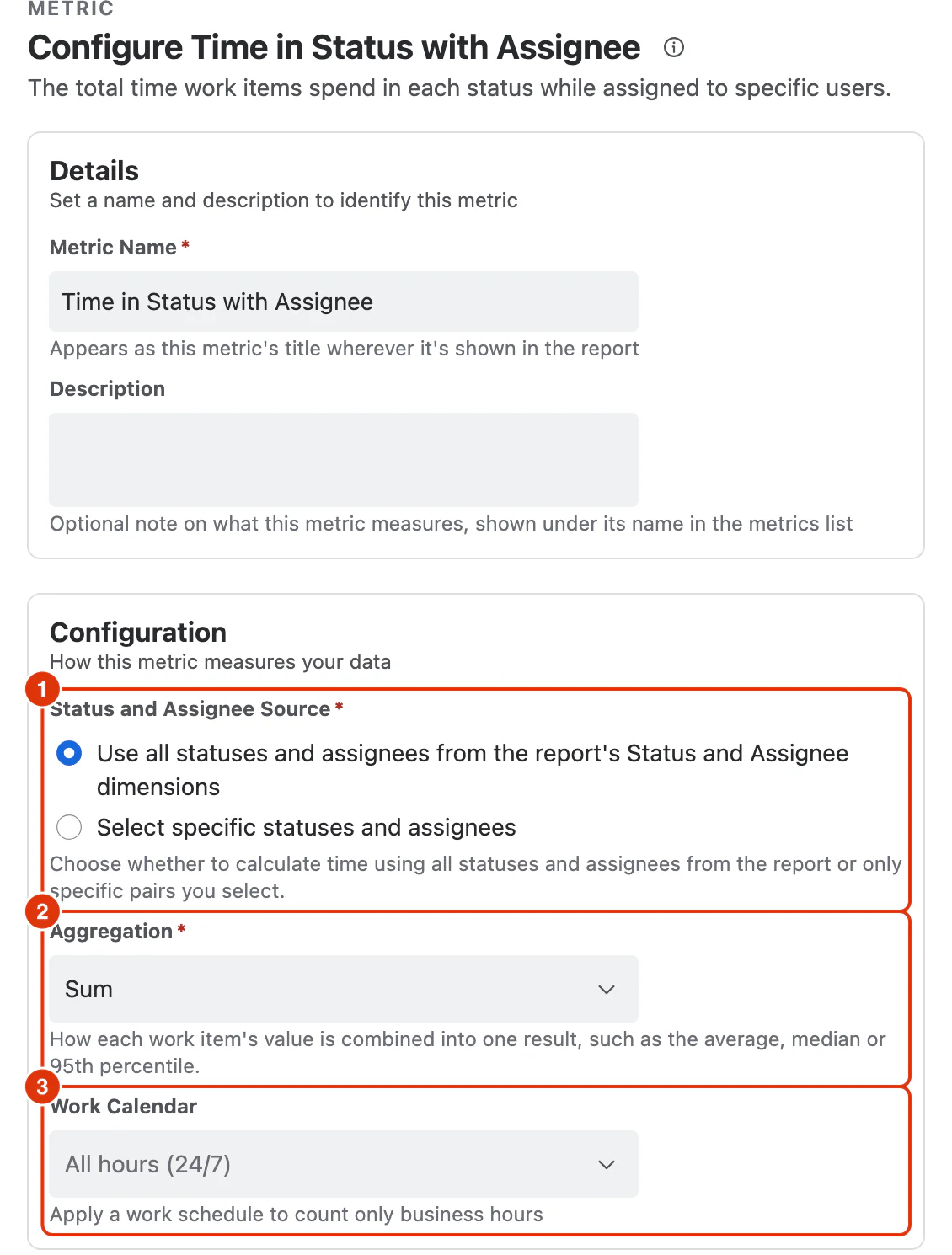
Status and Assignee Source (1)
Whether the Metric follows the report's dimensions or pairs you choose:
- Use all statuses and assignees from the report's Status and Assignee dimensions — time is calculated for each visible Status × Assignee combination
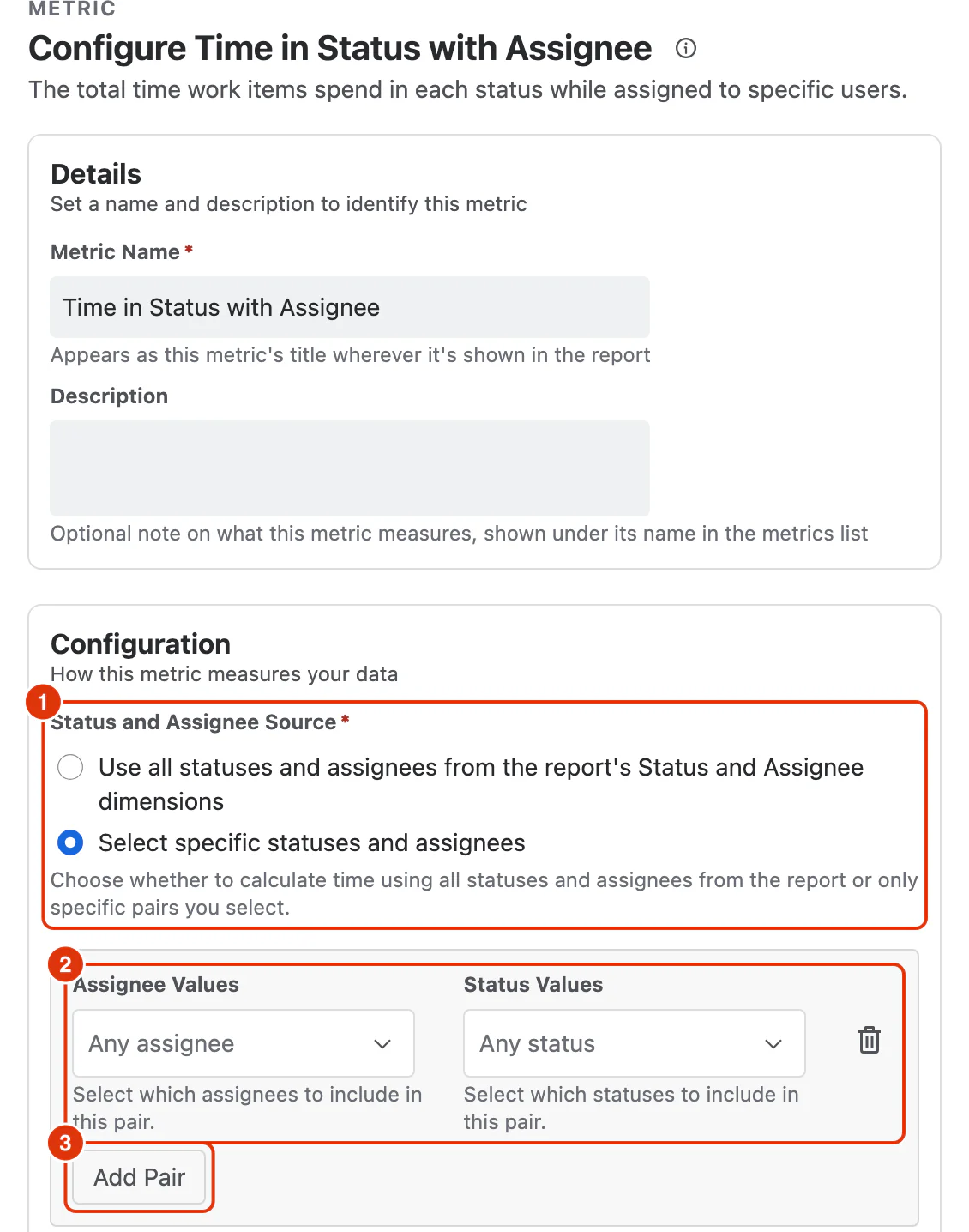
- Select specific statuses and assignees — time is calculated only for the pairs you add below, each pairing one or more statuses with one or more assignees
Choosing it opens a list of pairs below the option, which starts empty: click Add Pair to create a row. Each row has its own Assignee Values and Status Values fields, and a 🗑 icon that removes that pair. Below, the source (1) is on the second option, one pair row (2) has been added, and Add Pair (3) adds another:
Aggregation (2)
How each work item's value is combined into one result:
- Sum (default)
- Average
- Median
- Percentile (P95)
Work Calendar (3)
Optional. Applies a work schedule so only business hours are counted. Calendars are defined under Work Calendars; leaving it as All hours (24/7) counts elapsed time.
What You Can Analyse with Time in Status with Assignee
Time in Status with Assignee is commonly used to analyse:
Ownership Patterns within Workflow States
- How long work remains with specific users in specific statuses
- Prolonged ownership in key workflow stages
Handoff Behaviour
- Time impact of reassignment across workflow steps
- Ownership stability or churn during critical stages
Flow Bottlenecks by Ownership
- Statuses where time accumulates under certain roles
- Opportunities to rebalance responsibility or clarify process
Process Diagnostics
- Differences in handling time across workflow stages and roles
- Impact of process or staffing changes on time distribution