
Metrics
A Metric (Key Performance Indicator) defines a specific calculation applied to your work items — such as how many were completed, how long they took, or how many story points were committed in a sprint. Metrics always appear in the Columns zone of your report and are calculated at the intersection of each Row value and Column value.
Metrics are chosen on the Add Metrics tab of the Configure report dialog: pick one from Available Metrics (1) and it joins Selected Metrics (2), becoming a column in the report.
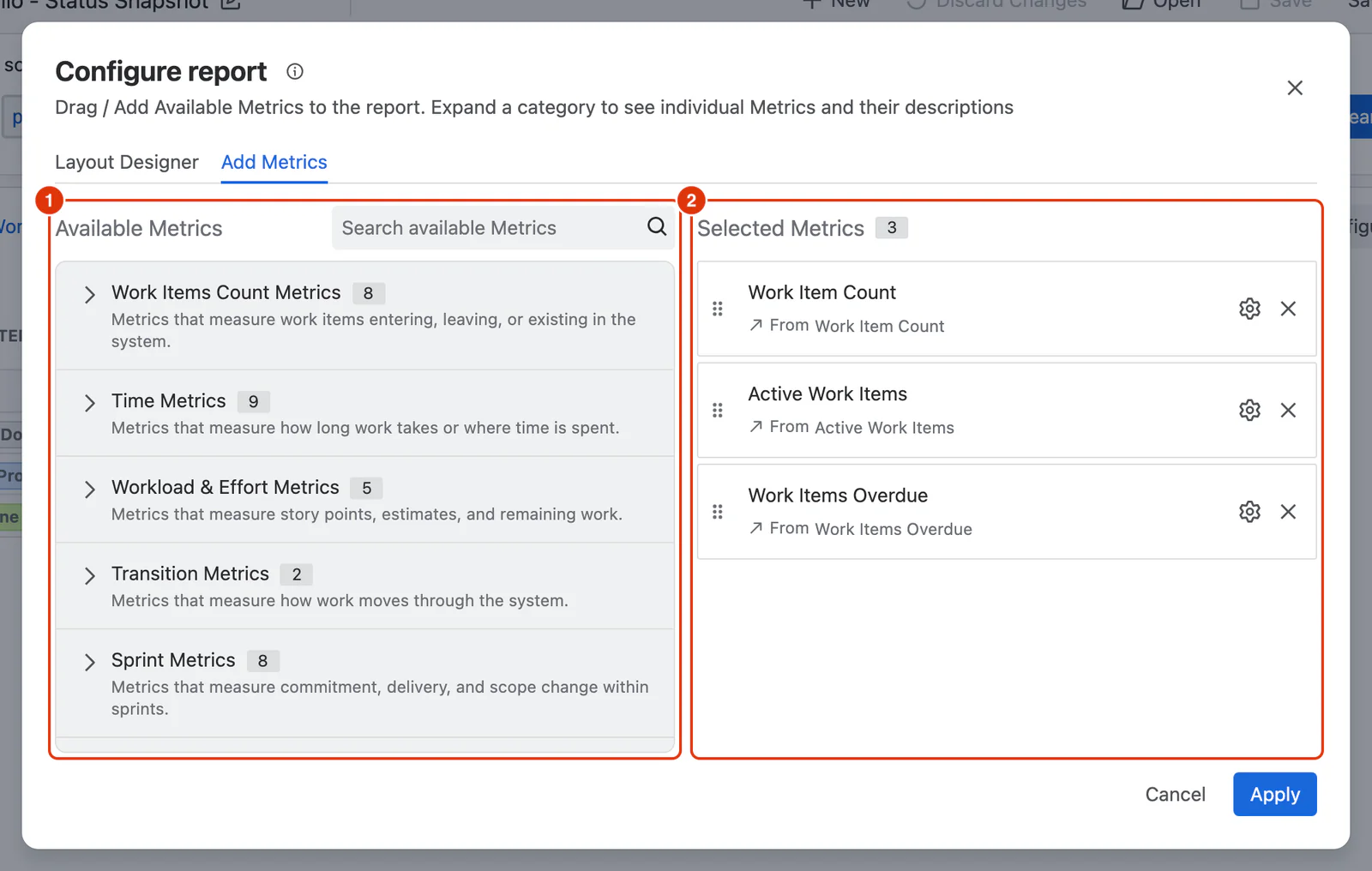
Metric Categories
Metrics are organised into categories based on what they measure:
Adding the Same Metric Multiple Times
The same Metric can be added more than once to a report, each instance with a different configuration. This lets you compare variations of the same metric side by side — for example, adding Work Items Completed twice, once for all work items and once filtered to a specific work type, to compare them as separate columns in the same report.
Lifecycle Mapping and Metrics
Many Metrics — particularly those involving Completed, Closed, or Active states — rely on Lifecycle Mapping to determine which statuses qualify. If your Metric results don't look right, check your Lifecycle Mapping configuration in Jira Settings → Marketplace Apps → Dashlytics → App Settings. See App Configuration for details.