
Field Changes
Field Changes measures how often the value of a selected field changes on work items during a selected time period: the total number of changes, or the average, median or 95th percentile per work item.
It works like Status Transitions, but for any Jira standard or custom field whose changes Jira records, such as Assignee, Priority or a custom select field.
How Field Changes Is Calculated
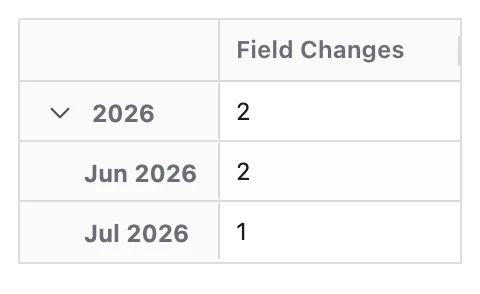
Each change of the selected field's value on a work item is counted when its timestamp falls within the selected time period. Each change is counted independently, even if the same work item changes value several times.
A change counts only when the field had a value before and has one after. Setting a field for the first time, or clearing it, is not counted.
The changes are counted for each work item, and the Aggregation option combines those counts into the value shown. By default this is the average number of changes per work item; Sum shows the total number of changes.
Configuration
Field Changes adds these options to the Metric Name and Description every Metric has. The screenshot shows them with Status chosen as the field:
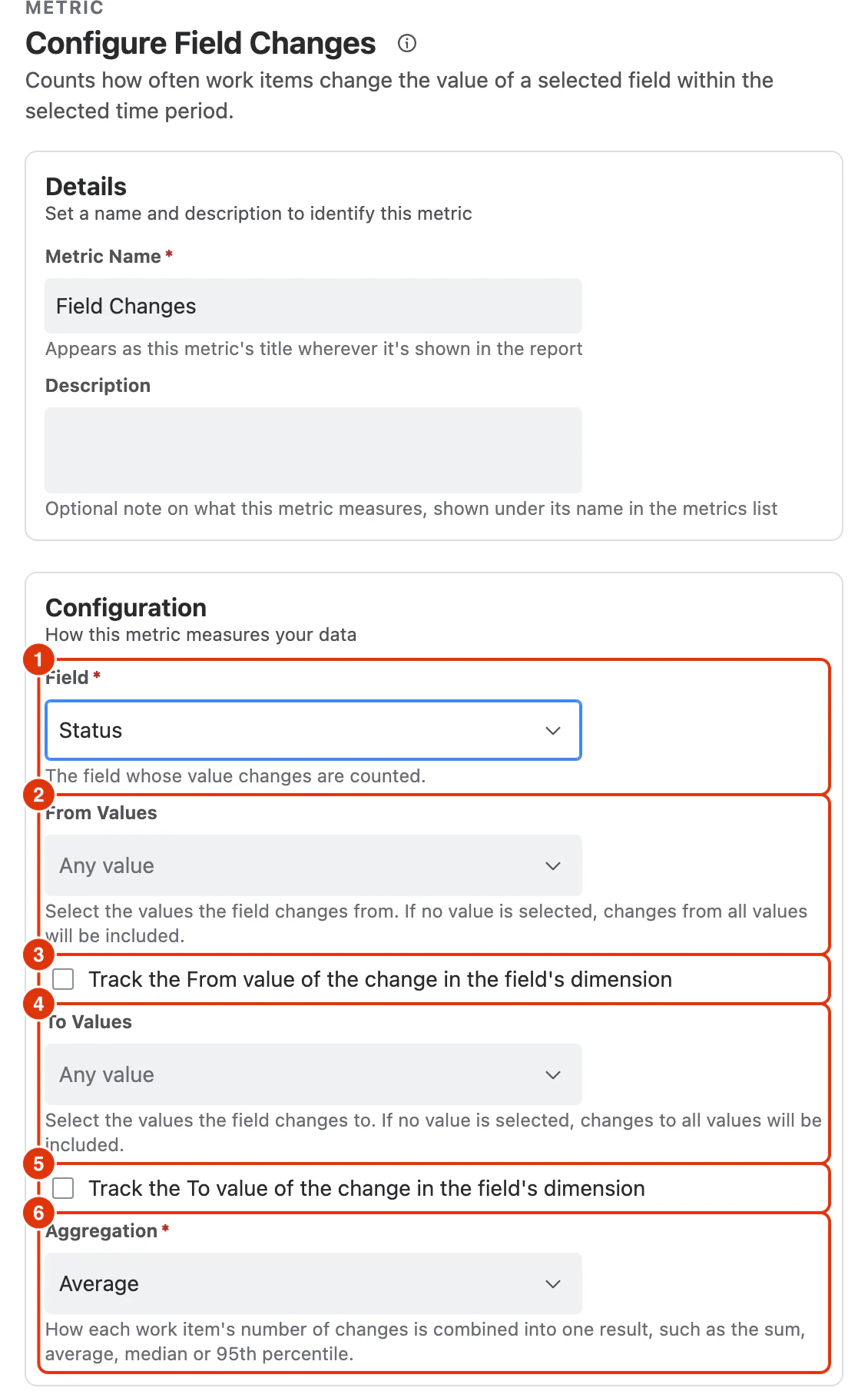
Field (1)
The field whose changes are counted. The list is grouped into Jira Standard Fields and Custom Fields, and only offers fields whose history is tracked.
Fields that have no list of values, such as number, duration and date fields, show only Aggregation: every change of the field is counted, and the From and To options below do not apply.
From Values (2)
The values a counted change starts from. The list shows the values of the selected field, so it changes when you pick a different field. Leaving it empty includes changes from any value.
A value that has been deleted in Jira is still listed if the report's data contains it, shown struck through, so you can select it to count changes that involved it. A deleted value that is already selected stays in the box the same way, so you can see which one it was and remove it.
Track the From value of the change in the field's dimension (3)
Makes the field's dimension in the report track the value each change started from. Every value of that dimension, whether it is in Filters, Rows or Columns, receives the changes that left that value.
To Values (4)
The values a counted change ends at. Leaving it empty includes changes to any value. Deleted values are shown the same way as in From Values.
Track the To value of the change in the field's dimension (5)
Makes the field's dimension in the report track the value each change ended at. Every value of that dimension, whether it is in Filters, Rows or Columns, receives the changes that arrived at that value.
The two options cannot be selected together: selecting one disables the other. With neither selected, the dimension in the report shows each work item's current value.
Aggregation (6)
How each work item's number of matching changes is combined into one result:
- Sum: the total number of changes
- Average (default): the average number of changes per work item
- Median
- Percentile (P95)
Average, Median and Percentile (P95) only include work items with at least one matching change in the period. A work item whose field never made the change is left out rather than counted as 0.