
Work Item Count
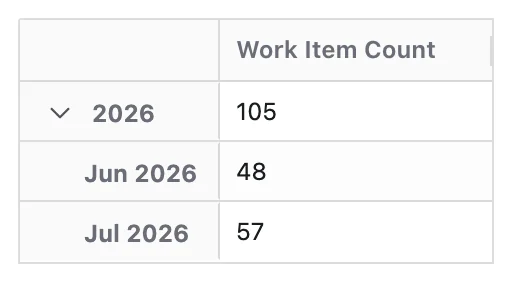
Work Item Count measures the number of work items included in the current report dataset.
It represents the volume of work items based on the report's data source JQL and any active filter chip selections. It does not have its own filter configuration — the scope of work items is entirely determined by the report context.
This Metric focuses purely on quantity, not delivery, progress, or flow.
What Question Does Work Item Count Answer?
Work Item Count is designed to answer:
How many work items are there?
How Work Items Are Counted
Work Item Count is calculated from the current values of work items returned by the report's current JQL data source and active filters. Each work item is counted once.
When a Time dimension is applied, work items are grouped using the selected Time Grouping Field (e.g. Created Date, Resolved Date) and counts are aggregated within each time period. Time represents how work items are grouped, not when work was completed or progressed.
Configuration
Work Item Count adds these options to the Metric Name and Description every Metric has:
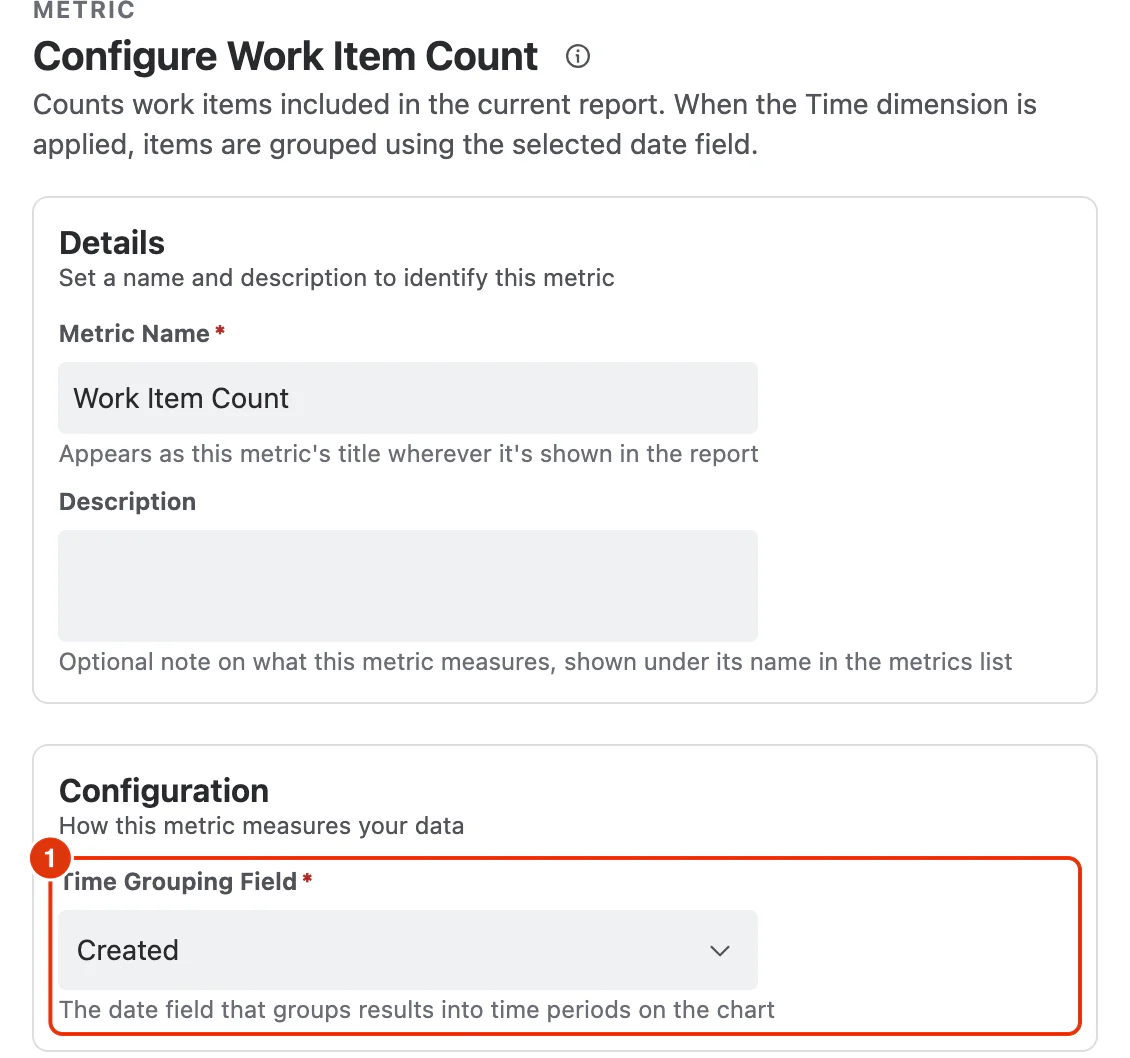
Time Grouping Field (1)
The date field that groups results into time periods when the report has a Time dimension.
What You Can Analyse with Work Item Count
Work Item Count is commonly used to analyse:
Work Item Volume
- Total number of work items in the current dataset
- Volume by project, team, component, or work item type
Trends Over Time
- Growth or decline in work item volume based on a selected date field
- Periods of unusually high or low activity
Distribution and Mix
- Breakdown of work items by type, priority, status, or assignee
- Identification of dominant work item categories
Risk and Load Indicators
- Concentration of high-priority work items
- Areas of the system with high work accumulation