
Active Age
Active Age measures how long active work items have been in progress since they last entered the Active lifecycle state.
It represents the age of work that has already started but has not yet been completed.
This Metric helps identify stuck, delayed, or aging work in progress, without considering effort, throughput, or total delivery time.
What Question Does Active Age Answer?
Active Age is designed to answer:
How long has our current work in progress been active?
How Active Age Is Calculated
Active Age is evaluated as a snapshot at a point in time. For each work item, age is calculated as the elapsed time since the work item last entered the Active lifecycle state. Only work items currently in the Active lifecycle state are included.
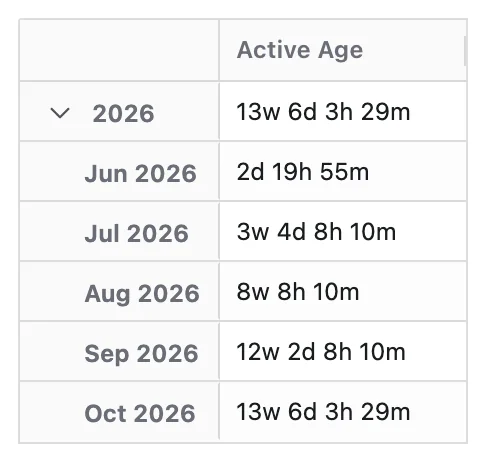
When a Time dimension is applied, age is recalculated at each time point. Time represents the state of work in progress at each point, not when work was completed.
Configuration
Active Age adds these options to the Metric Name and Description every Metric has:
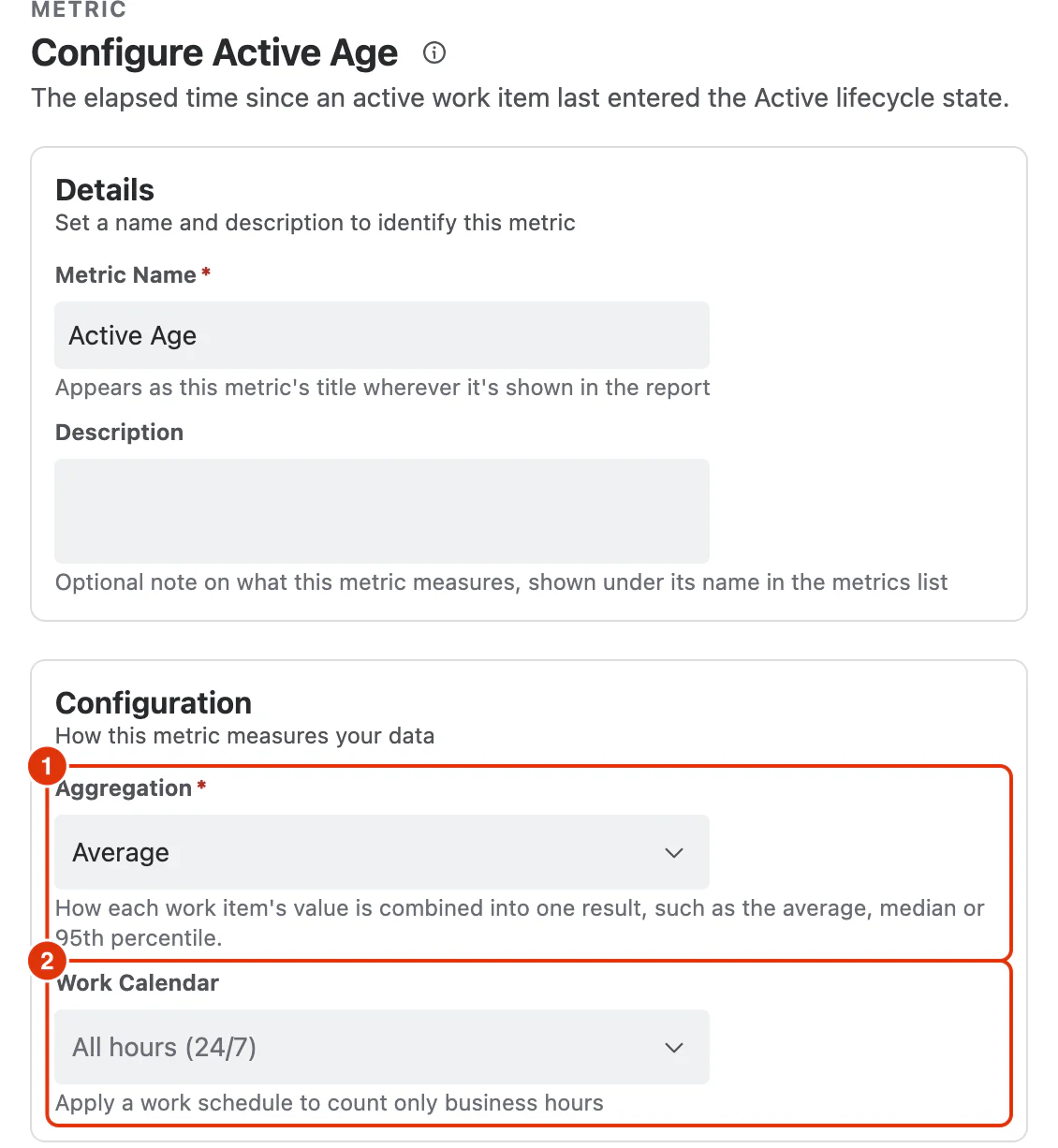
Aggregation (1)
How each work item's value is combined into one result:
- Average (default)
- Median
- Percentile (P95)
Work Calendar (2)
Optional. Applies a work schedule so only business hours are counted. Calendars are defined under Work Calendars; leaving it as All hours (24/7) counts elapsed time.
What You Can Analyse with Active Age
Active Age is commonly used to analyse:
Work-in-Progress Health
- How old the current active work is
- Whether work in progress is aging over time
Flow Risk and Delays
- Long-running in-progress work items at risk of delay
- Percentile trends highlighting stuck work
WIP Pressure
- Whether too much work has been started
- Rising Active Age alongside increasing active work items
Distribution of Aging Work
- Teams or projects with the oldest active work
- Work item types that stall once work starts
- Ownership or role-based bottlenecks
Flow Control Decisions
- Signals to stop starting new work and focus on finishing
- Early warnings of WIP limit violations or process friction