
Time in Status
Time in Status measures the total amount of time work items spend in one or more workflow statuses.
It shows where work spends time within the workflow, independent of completion, effort, or delivery outcomes.
This Metric focuses purely on duration, helping teams identify waiting states, delays, and workflow bottlenecks.
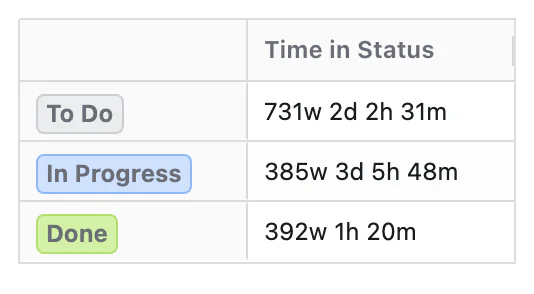
What Question Does Time in Status Answer?
Time in Status is designed to answer:
How much time do work items spend in specific workflow statuses?
How Time in Status Is Calculated
Time in Status measures time spent, not events or snapshots. For each work item, time is accumulated while the work item remains in a selected status. If a work item enters and exits a status multiple times, all time spent in that status is included.
When a Time dimension is applied, time is distributed across time periods based on when it occurs. A single work item can contribute time to multiple time periods. Time represents where time was spent, not when work started or finished.
Configuration
Time in Status adds these options to the Metric Name and Description every Metric has:
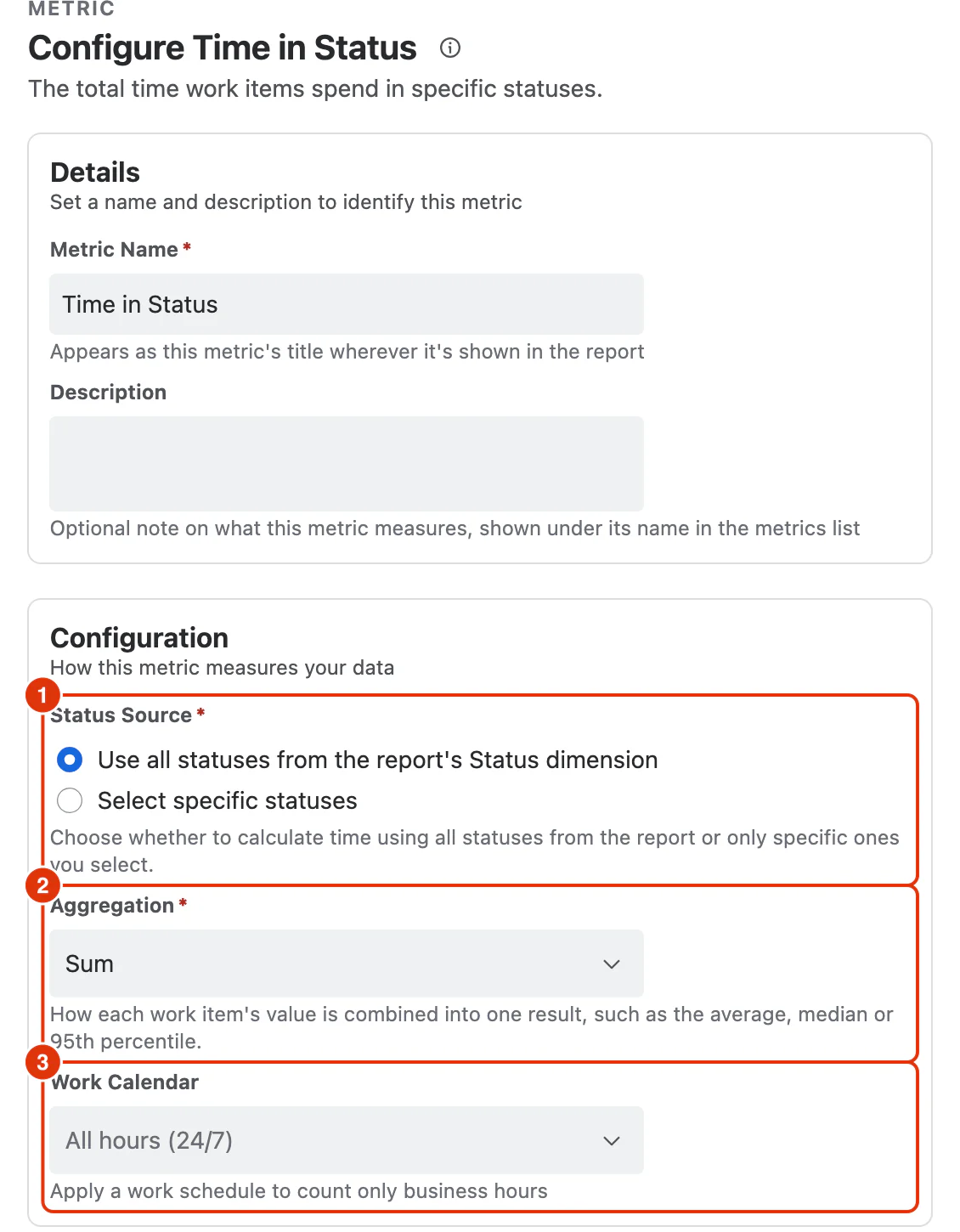
Status Source (1)
Whether the Metric follows the report's dimension or a list you choose:
- Use all statuses from the report's Status dimension in any zone (Filters, Rows or Columns) — time is calculated separately for each status the Status dimension shows, wherever it is placed
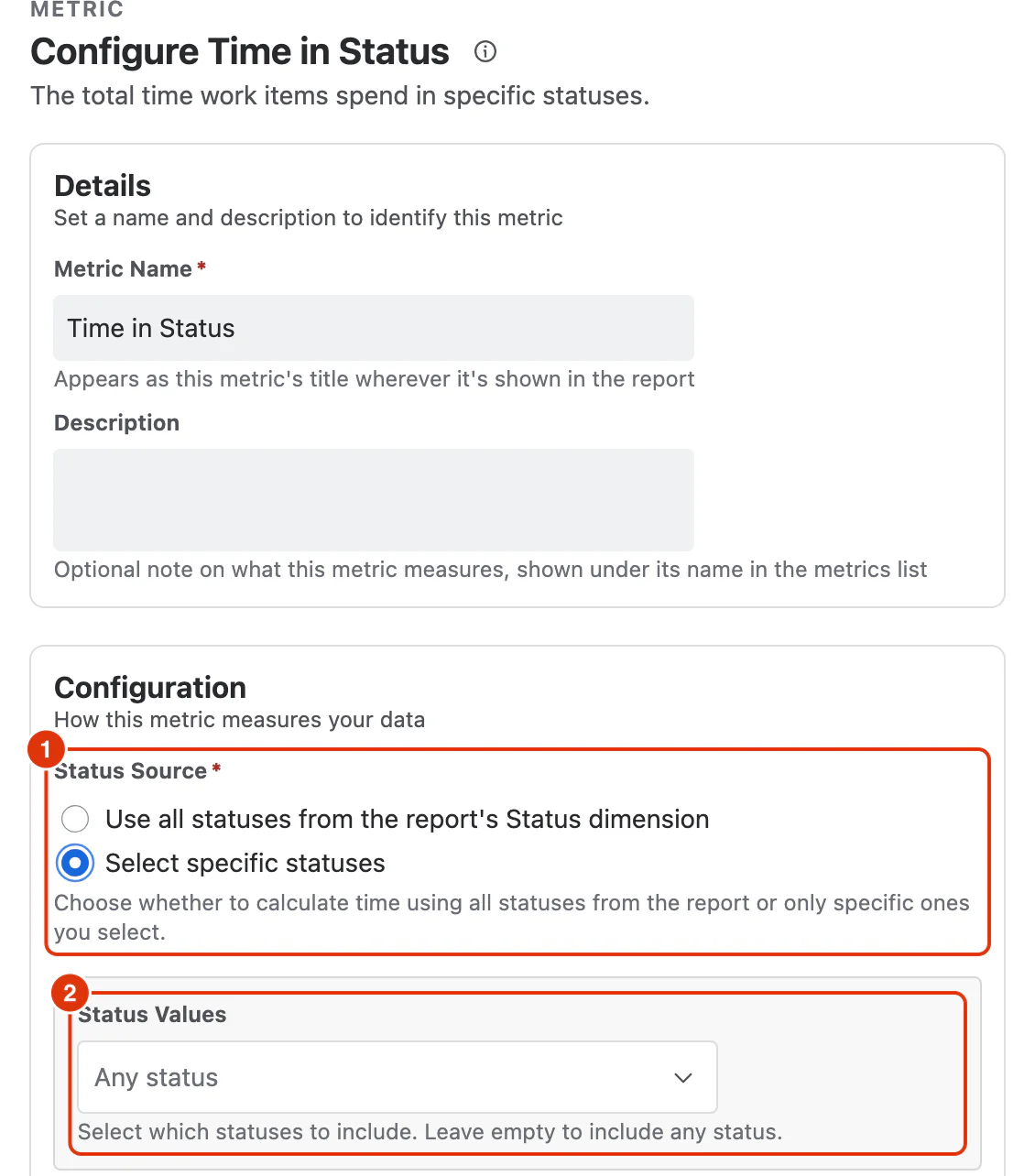
- Select specific statuses — a Status Values field appears, and time is calculated only for the statuses you choose in it; left empty it includes any status
Choosing the second option is what puts that field on screen. Below, the source (1) is on Select specific statuses, and Status Values (2) has appeared beneath it:
Aggregation (2)
How each work item's value is combined into one result:
- Sum (default)
- Average
- Median
- Percentile (P95)
Work Calendar (3)
Optional. Applies a work schedule so only business hours are counted. Calendars are defined under Work Calendars; leaving it as All hours (24/7) counts elapsed time.
What You Can Analyse with Time in Status
Time in Status is commonly used to analyse:
Workflow Bottlenecks
- Statuses where work spends the most time
- Persistent waiting or blocked states
Process Efficiency
- Distribution of time across workflow stages
- Comparison of active vs waiting statuses
Flow Diagnostics
- Contribution of individual statuses to overall Cycle Time
- Impact of process or policy changes on waiting time