
Work Item Age
Work Item Age measures how long unfinished work items have existed since their creation.
It represents the age of work that has not yet been completed or closed, helping teams understand backlog health and staleness.
This Metric does not measure effort, workflow duration, throughput, or delivery speed. It focuses only on how long unfinished work has been in the system.
What Question Does Work Item Age Answer?
Work Item Age is designed to answer:
How old is our unfinished work?
How Work Item Age Is Calculated
Work Item Age is evaluated as a snapshot at a point in time. For each work item, age is calculated as the elapsed time since the Created Date. Only work items that are not in a Completed or Closed lifecycle state are included.
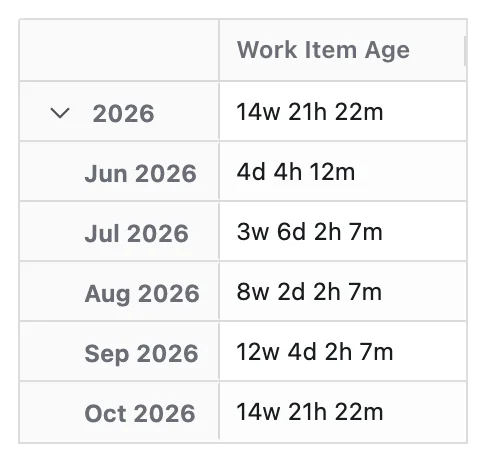
When a Time dimension is applied, age is recalculated at each time point. Time represents the state of unfinished work at each point, not when work was completed.
Configuration
Work Item Age adds these options to the Metric Name and Description every Metric has:
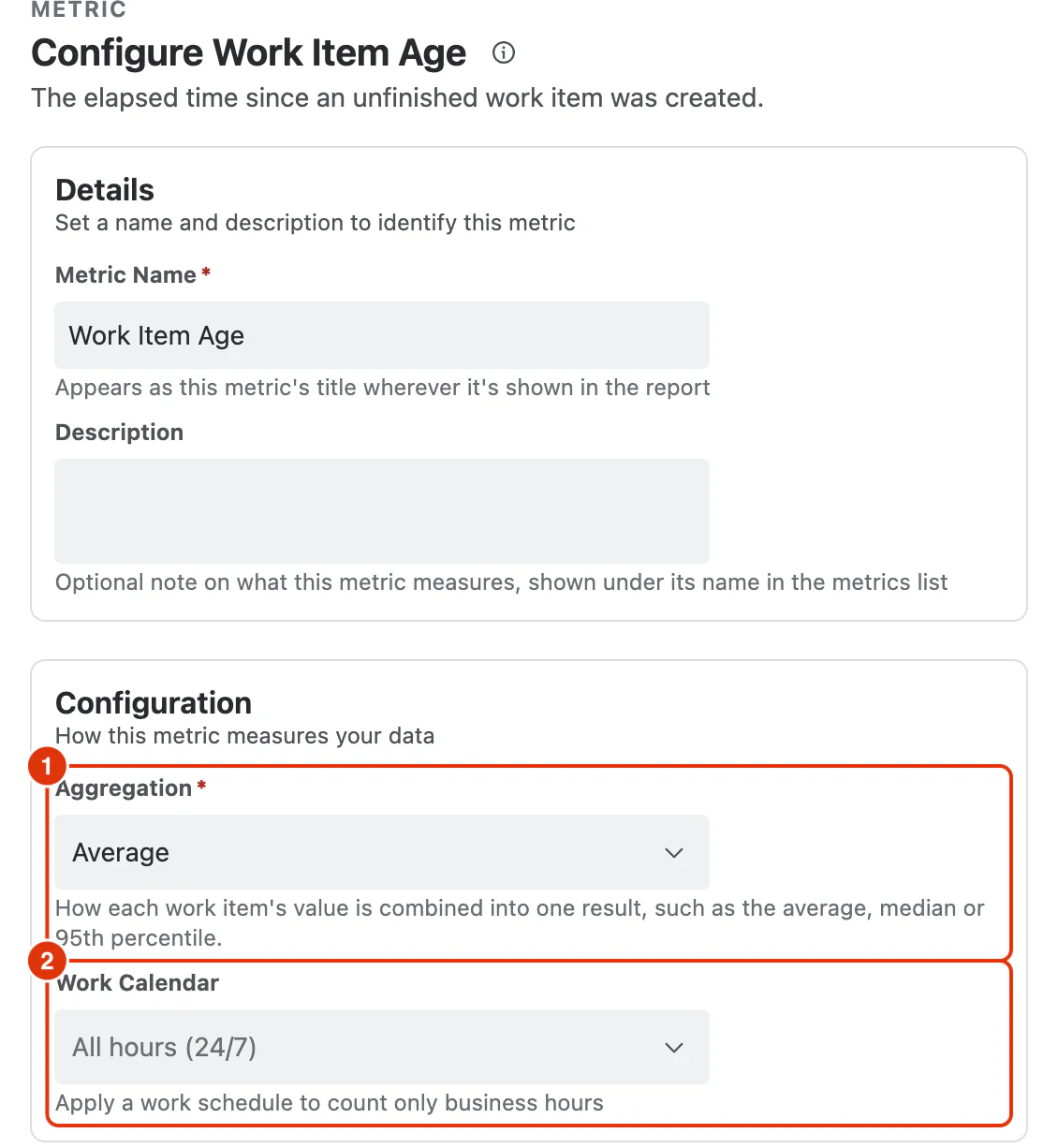
Aggregation (1)
How each work item's value is combined into one result:
- Average (default)
- Median
- Percentile (P95)
Work Calendar (2)
Optional. Applies a work schedule so only business hours are counted. Calendars are defined under Work Calendars; leaving it as All hours (24/7) counts elapsed time.
What You Can Analyse with Work Item Age
Work Item Age is commonly used to analyse:
Backlog Health
- How old the current backlog is
- Whether unfinished work is aging over time
Stale Work Detection
- Long-running work items that may need attention
- Percentile trends indicating accumulating stale work
Flow and Capacity Signals
- Whether intake exceeds delivery over time
- Rising age despite stable Cycle Time
Distribution of Aging Work
- Teams or projects with the oldest backlog
- Work item types or priorities that age more than others
- Components or areas accumulating stale work
Decision Support
- Need for backlog cleanup or scope reduction
- Identification of hidden delivery problems