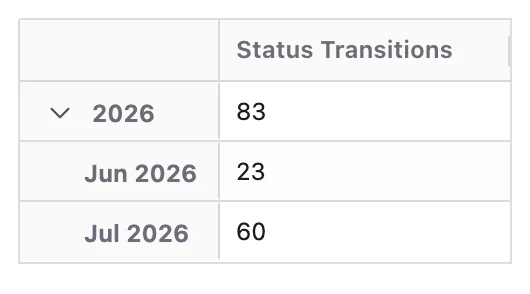
Transitions to Status by Month
This report tracks the total number of times work items transitioned into a specific workflow status each month. It helps teams identify rework and churn patterns over time — a rising transition count into a status like In Review or In Progress indicates that more work is cycling back into that stage, which can signal quality issues or unclear exit criteria upstream.
Start a report
- Go to Apps → Dashlytics in the Jira left sidebar, then click Home.
- Click Open Builder, then New in the toolbar, to start from a blank report.
- In the Data Source section, enter a JQL query to scope the work items — for example:
project is not EMPTY. Click Search. - Click the Configure button to open the Configure report dialog.
Lay out the rows
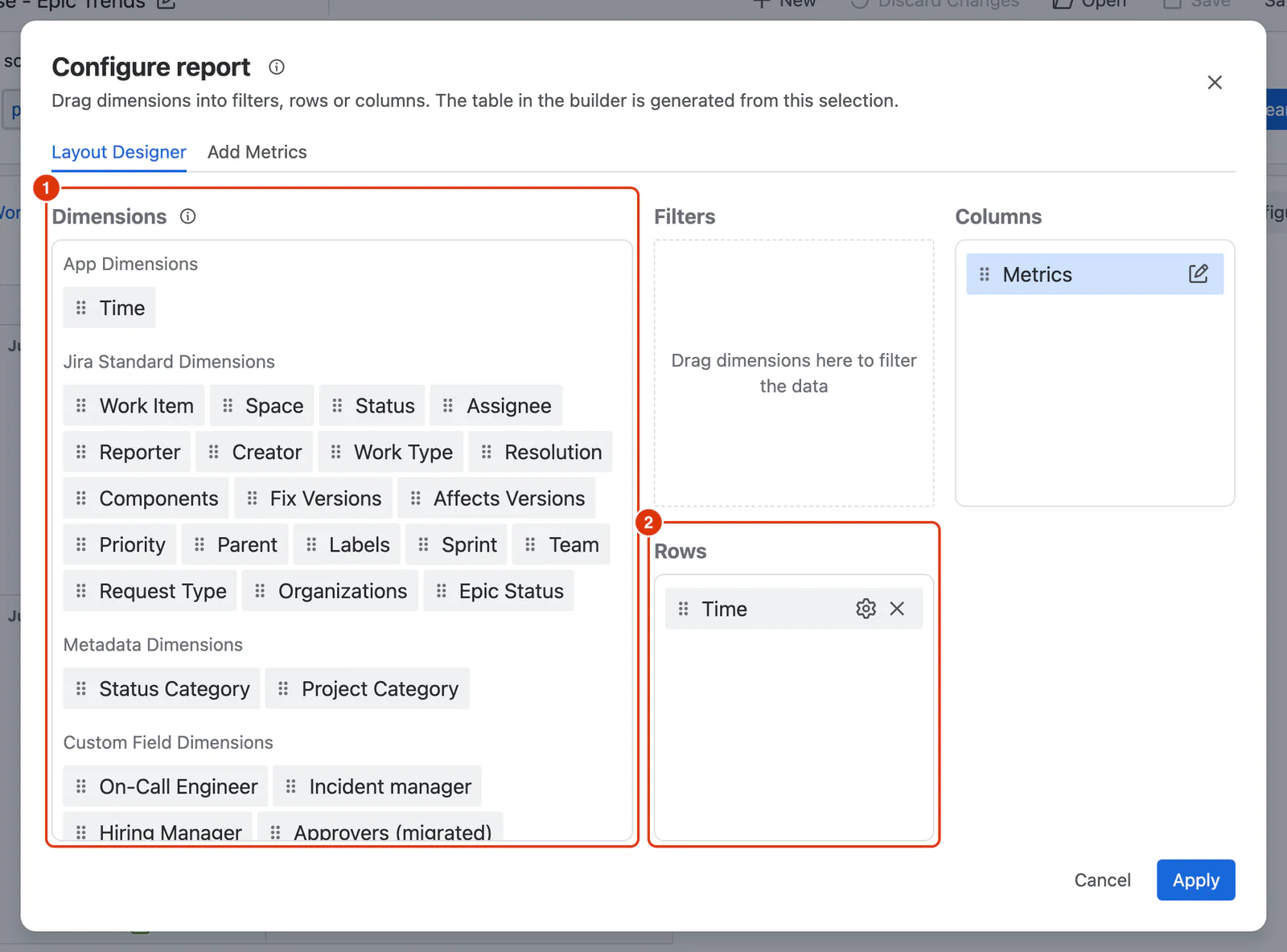
- In the Layout Designer tab, drag Time from the Dimensions list (1) into the Rows zone (2).
- Click the ⚙ icon on the Time chip. Under Time Units, select Month. Click Apply.
- Optionally, drag Space, Assignee or Work Type into the Filters zone below Columns to allow interactive filtering on the rendered report.
Add the Metric
- Go to the Add Metrics tab. In Available Metrics (1), expand Transition Metrics and click + Add on Status Transitions. It appears under Selected Metrics (2).
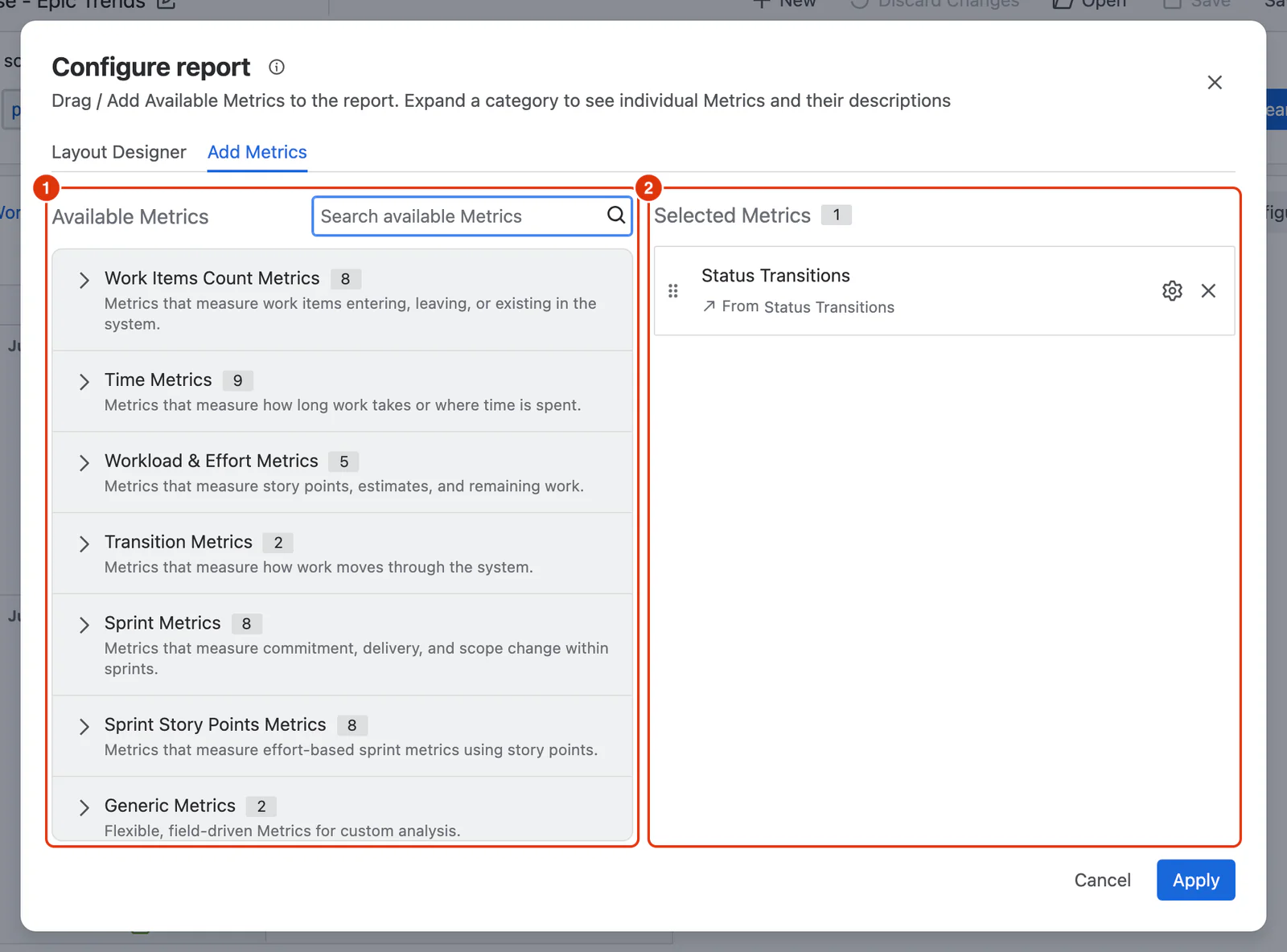
- Click the ⚙ icon on the added Metric, configure it as follows, then click Apply in the panel:
- Name: Transitions to
<status name>— for example, Transitions to In Review. The screenshot below keeps the default name. - From statuses: leave empty — includes transitions arriving from any status.
- To statuses: select the specific status you want to measure — for example, In Review or In Progress.
- Aggregation: select Sum, for the total number of transitions. The default, Average, shows the average number of transitions per work item instead.
- To compare inbound transitions for multiple statuses, repeat steps 8–9 for each additional status. Each instance becomes a separate column in the report.
- Click Apply to close the dialog and render the report.
- Use the filter chips above the report table to narrow results by space, assignee or work type.
- Click Save as in the toolbar, enter a report name, and click Save report.
Warning
Deleted statuses: If a status has been deleted from the Jira workflow, transitions involving that status will not be counted and may cause lower-than-expected values for historical periods.
Result
Each year groups the months beneath it. Expand a year to see how the transition count moves from month to month — a climbing count is the churn signal to investigate.